

Thank you so much, stevland. 😉
That was easy ...
But now i think we have new issue in our system...
I cannot click the Topics we can see in black color... whats going wrong here?
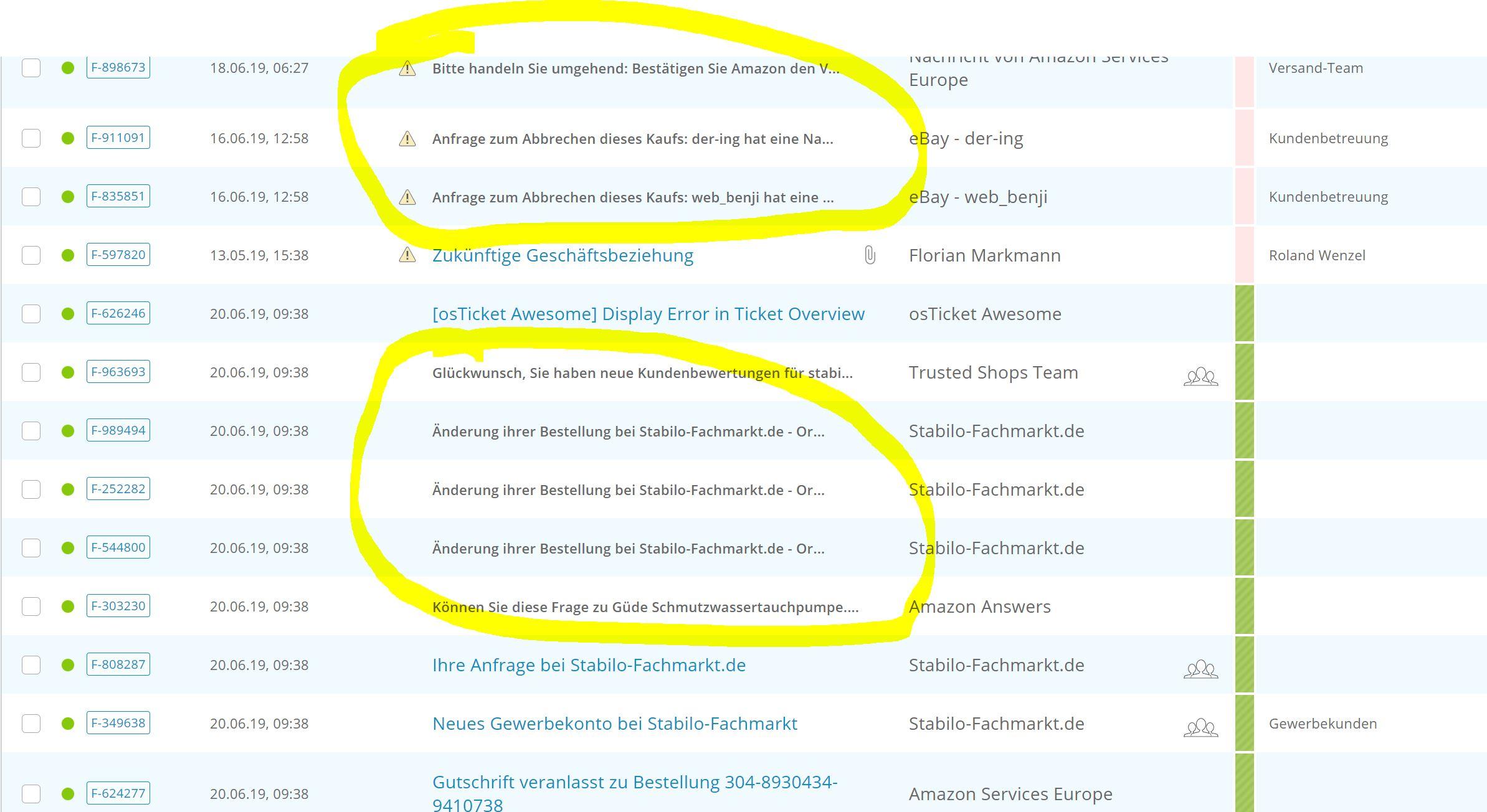

That was easy …
Easy for you. : P
I cannot click the Topics we can see in black color… whats going wrong here?
I don't know. Are those tickets from a different source than the others (such as email)?
Do you still have a backup of your original osTicket directory to compare? If yes, what is the URL please?
For example, if your osTicket was originally https://mydomain.com/support, then the first step in the osTicket Awesome installation instructions is to rename it to https://mydomain.com/support-old.
---
BTW (in case you haven't realized this yet), you can still click on the Ticket # for now to view the ticket.

I can confirm the attachment plugin as the cause of this error. I was seeing the same code after viewing a ticket & then browsing back to the agent panel / ticket overview. After disabling the plugin the error messages are gone.
I figured out what is going on with your second issue.
All of the ticket subjects that have lost their link are really long and have been truncated using jQuery.
Unfortunately, for whatever reason, the jQuery is behaving differently within your installation and is stripping away the anchor tags.
It is a really easy fix.
Open /include/staff/templates/queue-tickets.tmpl.php and change line 355 from
jQuery(".truncate").each(function(i, value) {
to
jQuery(".truncate a").each(function(i, value) {